
How to Securely Share Data with Offshore Admin Staff
- Offshore Staffing
- Data Security
- Privacy Act Compliance
- Remote Administration
- Cyber Security
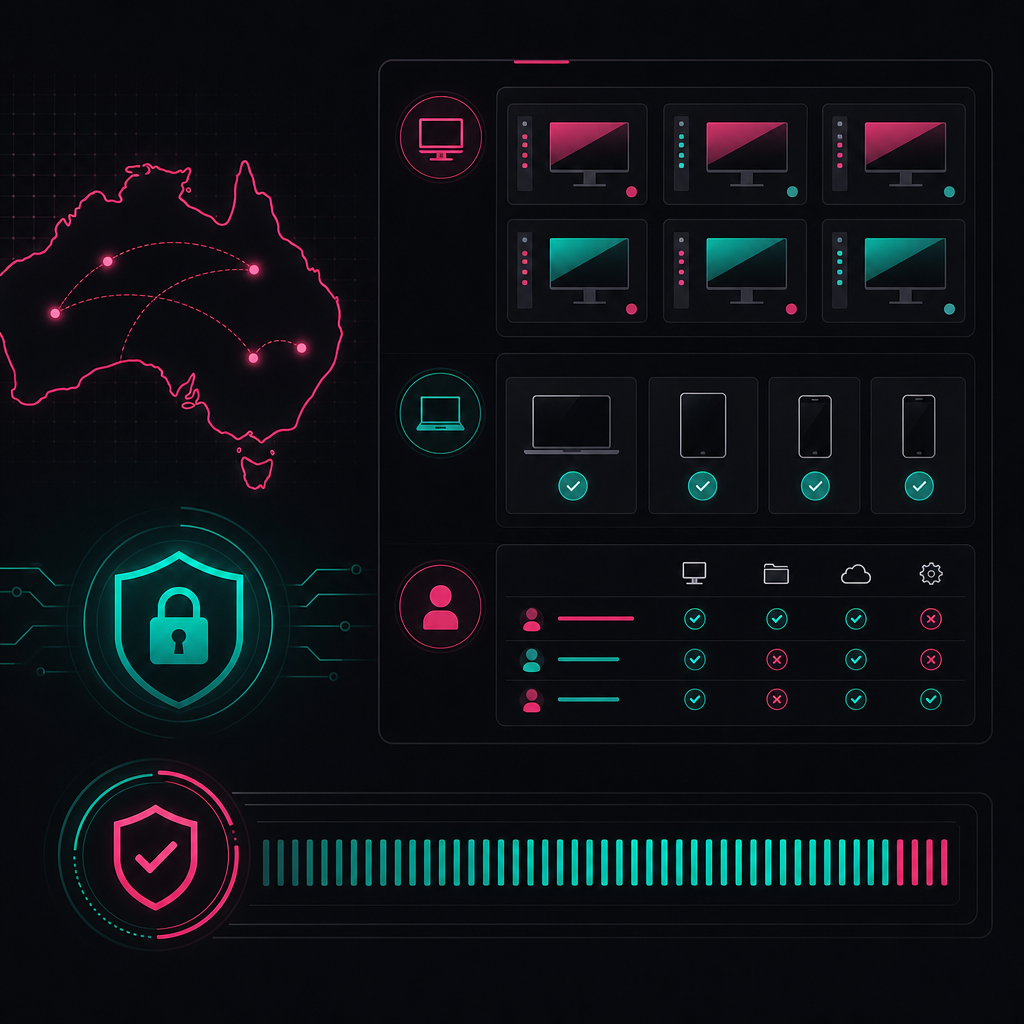
To secure data shared with offshore admin staff, keep information inside controlled systems rather than transferring it to personal devices. Combine virtual desktops, least-privilege access, data loss prevention, managed hardware, activity logging and documented workflows. Australian businesses must also address cross-border disclosure obligations under the Privacy Act 1988.
Introduction
Secure offshore staffing depends on architecture, governance and daily operating discipline. A confidentiality clause alone cannot prevent downloads, excessive permissions or uncontrolled copying. Businesses need technical controls that restrict what staff can access, where data can travel and how suspicious activity is investigated.
This guide explains how to build that system. It covers virtual desktop infrastructure, data loss prevention, zero-trust network access, hardware policies, Australian privacy obligations and practical designs for finance and health workflows.
Key Takeaways
A secure offshore staffing model limits data movement, verifies every access request and connects permissions to documented work. The objective should be zero data breaches, but that objective must be supported by logs, controls and incident testing. A provider's assurance is not evidence unless the underlying system can be examined.
- Keep sensitive data inside a virtual desktop or browser-isolated workspace.
- Apply least-privilege access to applications, records and individual workflow stages.
- Use data loss prevention controls to restrict downloads, uploads, printing and clipboard activity.
- Issue managed hardware where staff handle financial, health, payroll or identity information.
- Address Australian Privacy Principle 8 before disclosing personal information overseas.
- Treat workflows, approvals and ownership as security controls, not just operational documentation.
Security Tier Summary
Security tiers should reflect the sensitivity of the information and the consequences of misuse, not the job title of the offshore worker. Basic controls may suit low-risk administration. Managed controls suit personal information and financial workflows. Enterprise controls are appropriate when records are highly sensitive, regulated or operationally critical.
| Security tier | Suitable use | Access model | Device policy | Data controls | Governance |
|---|---|---|---|---|---|
| Basic | Public information and low-risk internal administration | Named accounts with role-based permissions | Approved device with endpoint protection | Restricted shared folders and application permissions | Documented onboarding and access removal |
| Managed | Payroll, customer records, accounts and recruitment administration | Virtual desktop or controlled workspace with multi-factor authentication | Centrally managed business device | Download restrictions, DLP policies and activity logging | Access reviews, approval checkpoints and incident procedures |
| Enterprise | Health records, financial services data and large identity datasets | Zero-trust access through segmented applications and isolated workspaces | Locked-down managed hardware | Granular DLP, session monitoring, restricted peripherals and central log analysis | Formal risk assessment, supplier assurance, tested response plan and executive ownership |
What Australian privacy law requires
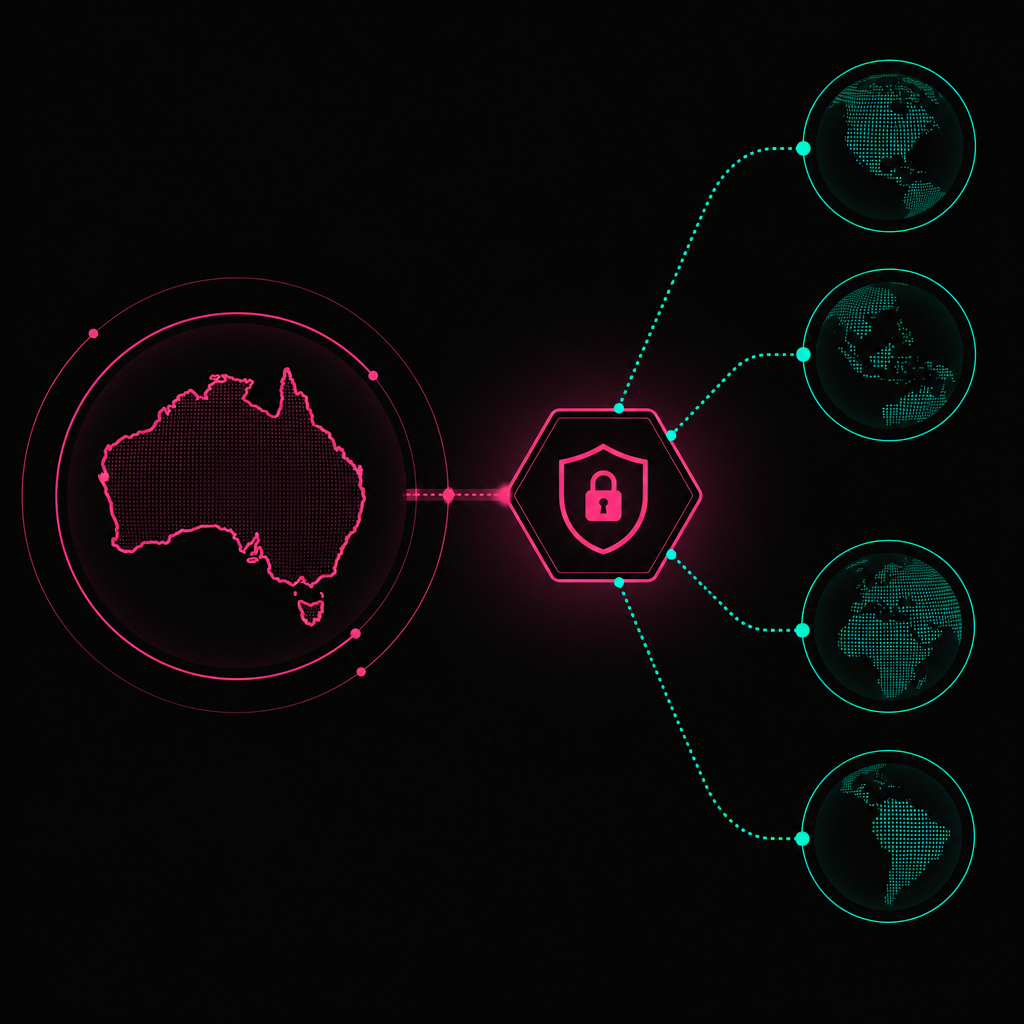
Australian organisations must consider whether offshore access constitutes a cross-border disclosure of personal information. Australian Privacy Principle 8 generally requires reasonable steps before an overseas recipient receives personal information. Australian Privacy Principle 11 also requires reasonable steps to protect information from misuse, interference, loss and unauthorised access, modification or disclosure.
The key distinction is between offshore access and offshore disclosure. The Office of the Australian Information Commissioner explains that using an overseas contractor may not always amount to disclosure if the Australian organisation retains effective control over the information. That conclusion depends on the real arrangement, not the wording of the contract.
A controlled virtual desktop can support an argument that the Australian business retains control. Relevant controls include:
- information remains in systems administered by the Australian business
- offshore staff cannot download or independently retain records
- access is limited to defined tasks
- the business can monitor, suspend and revoke access
- contractual terms prevent secondary use or onward disclosure
- the provider cannot decide how the information will be used
This is not a blanket exemption. A business should document why its arrangement is access rather than disclosure, if that is the position it takes. Legal advice may be necessary for sensitive or unusual data flows.
If the arrangement is a cross-border disclosure, APP 8 requires the Australian organisation to take reasonable steps to ensure the overseas recipient does not breach the Australian Privacy Principles, subject to limited exceptions. The Australian organisation may remain accountable for the recipient's conduct.
Privacy due diligence should therefore identify:
- each category of personal and sensitive information involved
- where the information is stored, processed and backed up
- which organisations and subcontractors can access it
- the purpose and legal basis for the access
- applicable contractual, technical and organisational controls
- the process for identifying and reporting an eligible data breach
The Privacy Act is only part of the picture. Contractual duties, professional obligations, employment records rules, sector requirements and client commitments may impose stricter controls. A privacy assessment should map all applicable obligations rather than treating APP compliance as the finish line.
Build secure access around VDI and zero trust
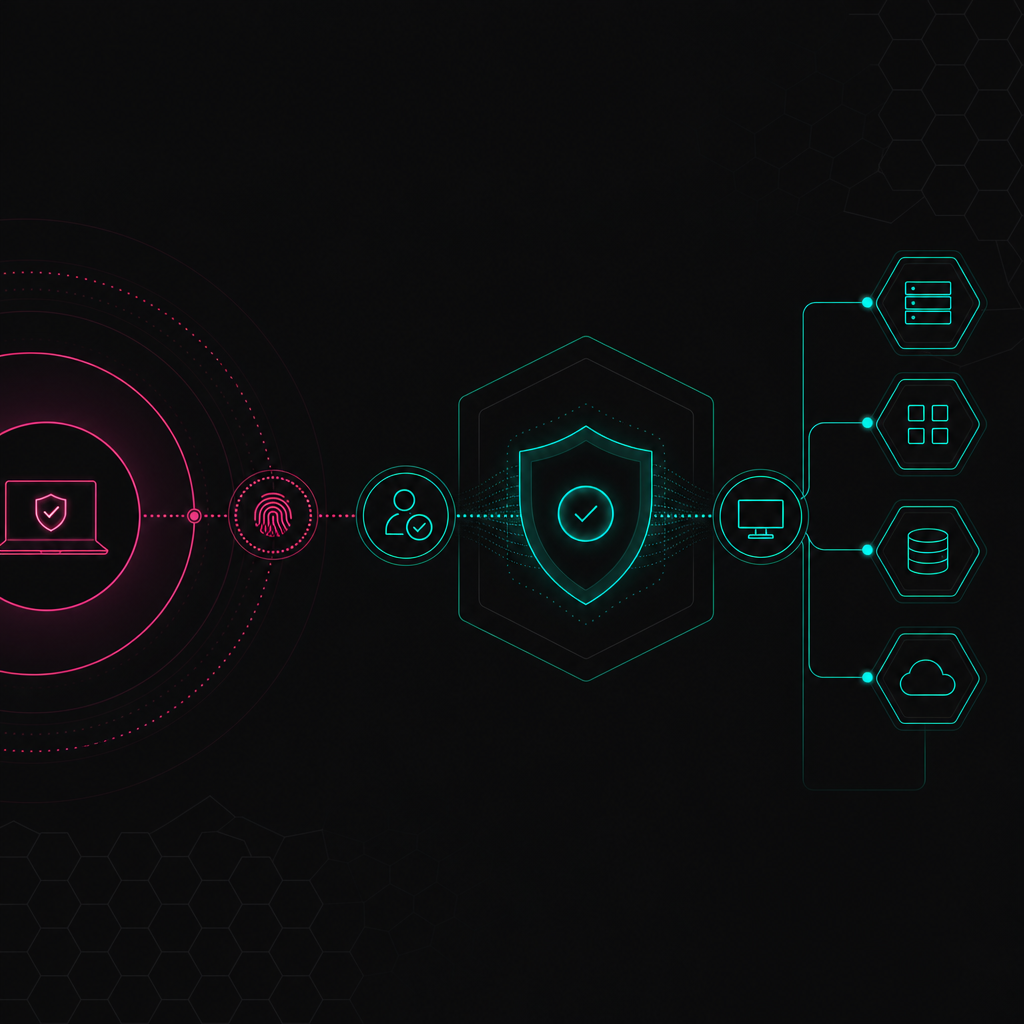
Virtual desktop infrastructure keeps applications and information inside a controlled computing environment while sending screen updates to the offshore worker. Zero-trust network access then evaluates the user, device and requested application before granting a session. Together, they reduce reliance on broad network access and unmanaged endpoints.
Use VDI as a containment boundary
A well-configured virtual desktop should be treated as a work enclosure. Staff interact with business systems inside the environment, while information remains on controlled infrastructure.
The design should address:
- Clipboard redirection: Disable copying from the virtual desktop to the local device where the workflow does not require it.
- Drive mapping: Prevent local drives from appearing inside the virtual session.
- Printing: Disable local and virtual printing unless a documented process requires it.
- File transfer: Block ad hoc upload and download paths. Provide an approved transfer workflow where movement is legitimate.
- Session timeout: End abandoned sessions and require fresh authentication when risk conditions change.
- Screen capture: Use operating system restrictions and monitoring where supported, while recognising that no software can stop a separate camera.
- Administrative access: Keep privileged support accounts separate from ordinary user accounts.
- Logging: Record authentication, application access, policy violations and administrative changes.
VDI does not automatically make a workflow secure. A worker who can open every customer record, export a report or email information externally still has excessive capability. The virtual environment is a containment layer, not a replacement for application-level permissions.
Replace broad VPN access with zero-trust access
A traditional VPN often places a remote device on a trusted network. That can expose more systems than the worker needs. Zero-trust network access publishes specific applications or services after checking identity, device posture and policy conditions.
The access decision should consider:
- whether the account is active and assigned to the role
- whether multi-factor authentication has succeeded
- whether the device is enrolled and compliant
- whether endpoint security controls are operating
- whether the location or access pattern is expected
- whether the requested application is approved for that role
Access should be denied by default. Permissions should then be granted to the narrowest practical application, record set and function. A payroll processor may need to prepare a pay run but should not necessarily release funds or change bank account details without an independent approval path.
Segment systems by workflow
Network segmentation limits the consequences of a compromised account or device. Offshore admin staff should not receive general access to a corporate network merely because several applications sit on it.
Create separate access zones for functions such as payroll, customer service, recruitment administration and finance. Connect each zone only to required systems. Administrative interfaces, backups, identity infrastructure and security tooling should remain in more restricted zones.
This approach also makes logs easier to interpret. Access to an unrelated zone becomes a clear exception instead of disappearing inside broad network traffic.
Control data movement with DLP
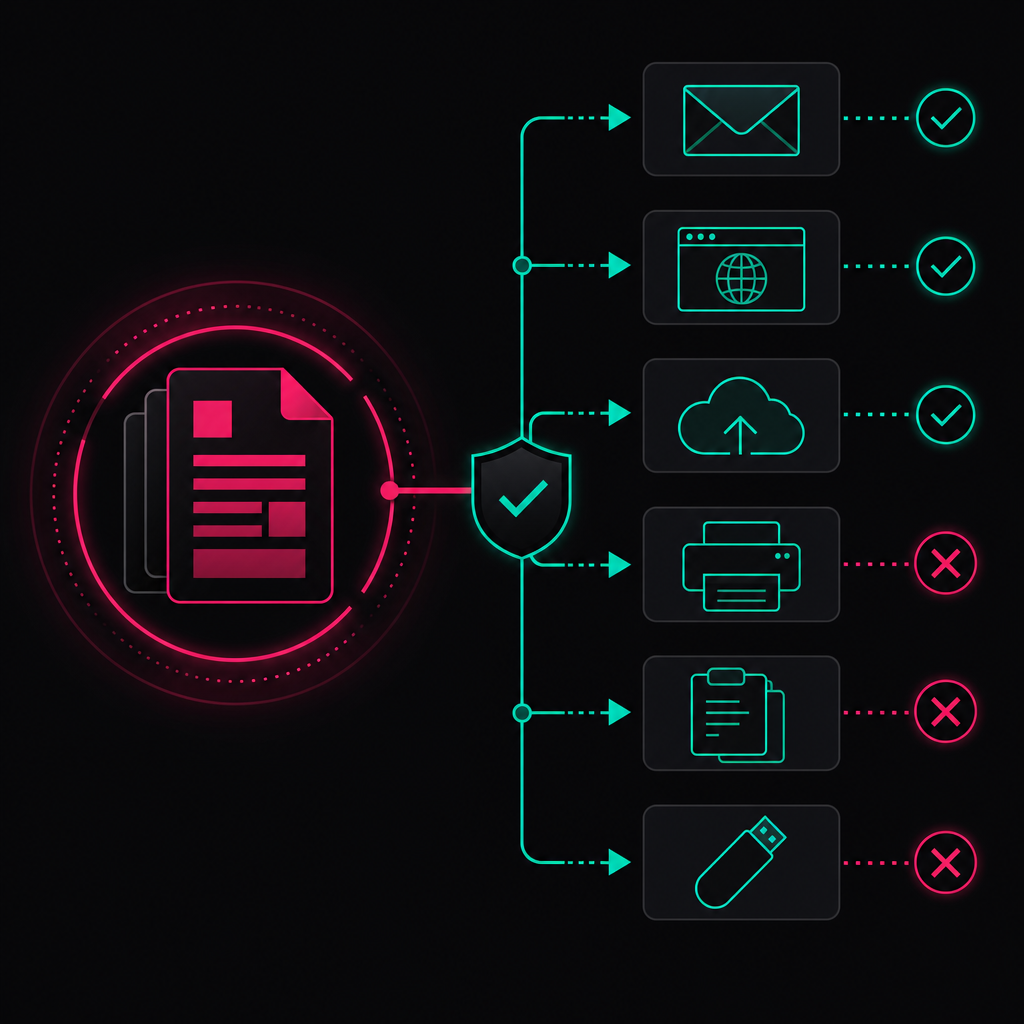
Data loss prevention identifies sensitive information and applies policies when users attempt to move it through email, cloud storage, browsers, removable media or local applications. Effective DLP is built around real workflows. Policies that block everything create workarounds, while policies that only generate alerts may allow preventable loss.
Start with data classification
DLP cannot protect information consistently unless the business knows what it considers sensitive. Classification should be practical enough for staff and systems to apply.
Useful categories include public information, internal operational material, personal information, sensitive information, financial credentials and highly restricted records. Labels can be applied through system location, document metadata, information patterns or business rules.
Do not depend entirely on users choosing the correct label. Payroll exports, identity documents and health records often have identifiable formats or locations that can trigger automatic controls.
Map controls to exit paths
Data normally leaves an environment through a limited set of channels. Examine each one:
- corporate and personal email
- browser uploads
- cloud storage and file-sharing services
- collaboration tools
- local downloads
- clipboard activity
- printing
- removable storage
- screenshots and photography
- application programming interfaces
The control can block, warn, require approval, quarantine or alert. The correct action depends on the workflow and sensitivity.
For example, a payroll report sent to an authorised Australian approver may be permitted through an encrypted corporate channel. The same report uploaded to personal cloud storage should be blocked and investigated.
Prevent bulk access, not just bulk export
Many security programmes focus on stopping a completed export. That is late in the sequence. Application permissions should prevent workers from querying or viewing records outside their assigned queue.
A secure customer administration workflow might allocate named cases to the user. Search results should be limited. Bulk reporting should sit behind a separate role. Sensitive fields can be masked until the workflow genuinely requires them.
This reduces both deliberate misuse and accidental exposure. It also gives the business cleaner evidence about which records a user could access during an incident investigation.
Tune alerts around behaviour
DLP alerts need operational ownership. Someone must decide which alerts require immediate suspension, which require investigation and which are expected business activity.
High-value signals include repeated blocked uploads, unusual report generation, attempts to access unrelated records, disabled endpoint controls and access outside the approved workflow. An alert without a response owner is only a log entry.
Set a hardware and workplace policy that can be enforced
Offshore staff handling sensitive information should use centrally managed business hardware rather than personal devices. The device should support remote configuration, endpoint monitoring, encryption, patching and access revocation. Physical workplace rules then address risks that software cannot fully control, including observation, photography and unattended sessions.
A managed endpoint baseline should include:
- full-disk encryption
- automatic security updates
- endpoint detection and response tooling
- a standard user account without local administrator rights
- an allowlist or controlled software catalogue
- restricted removable media
- centrally managed browser settings
- automatic screen locking
- device inventory and ownership records
- remote lock or wipe capability where technically and legally appropriate
The Australian Signals Directorate's Essential Eight maturity model provides a recognised starting point for controls such as application control, patching, multi-factor authentication, restricted administrative privileges and backups. It is not an offshore staffing standard, but it helps businesses evaluate endpoint and identity maturity.
Physical controls should match the information being handled. A dedicated work area, privacy screen, clear-desk requirement and prohibition on personal recording devices may be appropriate for restricted workflows. These controls need a verification process. A policy nobody checks is not a security boundary.
Bring-your-own-device arrangements may suit low-risk tasks involving public or non-sensitive information. They are difficult to justify for payroll, financial credentials, identity documents or health information because the business has less control over software, storage, users and disposal.
Offboarding must be designed before access is granted. Disable identity accounts, terminate active sessions, revoke tokens, recover hardware and review recent security events. Removing a person from a roster is not the same as removing their technical access.
Apply the architecture to finance and health workflows
Finance and health operations require tighter separation because staff may encounter identity, payment or sensitive health information. The safest design gives offshore workers only the data and action required for each assigned task. The following examples are hypothetical reference designs, not claimed Remotee client outcomes or testimonials.
Finance reference design: accounts administration
Imagine an Australian financial services business using offshore admin staff to check submitted documents and update application records.
The offshore worker enters through zero-trust access from a managed device. A virtual desktop provides access to a case management system, but not the underlying database or general corporate network. The system displays only assigned applications. Identity numbers are masked except when a verification step requires them.
Documents remain in an Australian-controlled repository. Local download, printing, clipboard export and personal email are blocked. The worker can mark a file as complete or request clarification, but cannot approve an application, change payment details or release money.
Changes to identity or bank information enter a separate Australian approval queue. Logs connect the user, case, action and session. Security staff investigate attempted bulk searches, repeated access denials and unusual document activity.
The important control is not simply that offshore staff have VDI. It is that the workflow separates preparation, verification and authorisation.
Health reference design: appointment and records administration
Consider an Australian health provider using offshore staff for appointment administration and document indexing.
The worker accesses a managed virtual desktop with multi-factor authentication. The practice system restricts access to the assigned location and task queue. Clinical notes remain hidden where they are unnecessary for scheduling. Uploaded referrals can be classified and attached to a patient file, but cannot be downloaded or sent through unapproved channels.
Patient identity is confirmed using the provider's approved script and minimum required fields. Staff cannot browse records unrelated to an active task. Requests involving clinical interpretation, record release or unusual identity concerns are escalated to an authorised Australian team member.
DLP monitors email, browser uploads, printing and clipboard activity. The provider retains central logs and includes the offshore operation in its data breach response procedure.
This design follows data minimisation. Administrative staff do not need unrestricted clinical access merely because they support a health organisation.
Delivery structure is the real security boundary
The common mistake is to treat offshore data security as an IT procurement exercise. In practice, unclear ownership and undocumented workflows create many of the dangerous exceptions. Secure technology works only when each task has defined inputs, permitted actions, approval points, escalation paths and an accountable owner.
Remotee's position is simple: remote hiring creates value only when it is wrapped in a delivery system. Talent quality matters, but quality alone is not enough. The difference between a capacity gap and a capacity crisis is usually a delivery structure problem, not a talent problem.
I have seen this directly in payroll operations. In one recruitment agency, the founders wanted to focus on business development and operational execution rather than payroll and accounting. We completed discovery, implemented a customised payroll system and moved into live management within two weeks, according to Remotee's delivery records.
The client now provides approval through one email each fortnight. The operating team manages payroll, superannuation, tax, compliance, timesheets and inbound queries. The relevant security lesson is not that payroll was moved offshore. It is that access, responsibilities, approvals and exceptions were designed before routine processing began.
Across Remotee recruitment agency implementations in 2026, the business recorded a reduction of 6-10 hours of non-billable partner time per pay cycle across 15 implementations. Those are Remotee's own operational figures, not an industry benchmark.
This is why I reject the blanket claim that sensitive payroll must stay in-house. Payroll is often safer when specialists operate a controlled process. Internal overload, manual checks, rushed pay runs and unclear ownership create risk too. Your payroll should not depend on one busy admin person remembering everything.
The Accountee Payroll Process demonstrates the structure:
- Payroll Discovery and Setup: Review pay cycles, staff types, awards, systems, approvals and reporting requirements.
- Payroll Transition: Establish access, templates, calendars, employee data flows and approval checkpoints.
- Full Payroll Processing: Process timesheets, calculations, leave, allowances, deductions, STP, superannuation and reporting.
- Ongoing Payroll Management: Manage issues, compliance support, reporting and service ownership.
The security principle applies beyond payroll. Access should be derived from a documented process. If nobody can explain why a role needs a permission, the permission should not exist. Predictable delivery, not just headcount, is the goal.
A claimed record of zero data breaches should be treated as a target unless it is supported by monitoring coverage, incident definitions, investigation records and reporting governance. Absence of reported incidents does not prove absence of compromise. Good operators measure whether controls work and whether failures are detected.
Prepare for incidents before offshore access begins
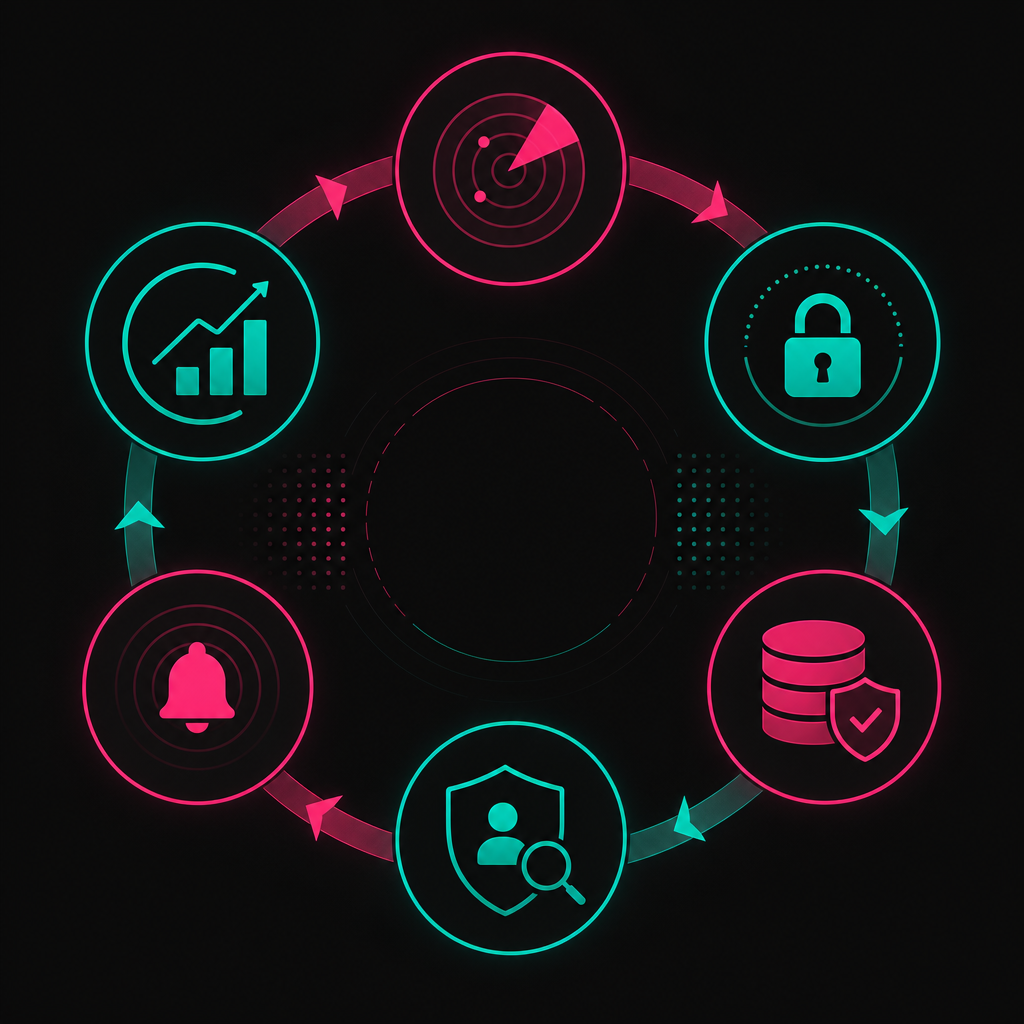
An incident response plan must cover offshore identities, devices, provider contacts and cross-border evidence collection. When suspicious activity occurs, the business should be able to contain access, preserve relevant logs, assess affected information and decide whether the event is an eligible data breach under the Notifiable Data Breaches scheme.
The response procedure should define:
- who can suspend an offshore account and active sessions
- who contacts the staffing provider and affected worker
- which logs are retained and where they are stored
- how managed devices are isolated
- how affected records and individuals are identified
- who conducts the legal and privacy assessment
- who communicates with clients, insurers, regulators and affected individuals
- how lessons are converted into access or workflow changes
Under the Notifiable Data Breaches scheme, an organisation covered by the Privacy Act must assess suspected eligible data breaches and notify the OAIC and affected individuals when the legal threshold is met. Not every security event is notifiable, but delay and incomplete evidence make assessment harder.
Run scenario exercises using credible events. Examples include compromised credentials, an attempted payroll export, malware on an endpoint or a document sent to the wrong recipient. Test the technical response and the decision-making chain.
Supplier contracts should support the response plan. They should cover prompt incident notification, cooperation, access to relevant evidence, subcontractor obligations, data return or deletion, audit rights and termination assistance. Contract language cannot replace technical controls, but weak contractual rights can obstruct an investigation.
How to implement secure offshore staffing
Implementation should begin with the work and data, not a preferred tool. Map the workflow, classify the information, decide what the offshore role may do and then select controls that enforce those decisions. Pilot with restricted access, review evidence and expand permissions only when the operating model is stable.
Start with these actions:
- inventory systems and information used by the role
- remove tasks that do not need personal or sensitive information
- create named accounts and role-specific permissions
- choose managed hardware and a controlled access method
- configure DLP around real transfer requirements
- separate data preparation from approvals and financial release
- document escalation, incident and offboarding procedures
- review logs, policy exceptions and access regularly
Remotee's technology and security approach explains how controls fit around remote delivery. Technical safeguards should be paired with compliance training, because staff need to recognise privacy risks, suspicious requests and escalation triggers.
If you are designing an offshore admin function involving payroll, customer, financial or health data, contact Remotee to map the workflow and security controls before access is issued.
References
- Federal Register of Legislation, Privacy Act 1988
- Office of the Australian Information Commissioner, Chapter 8: APP 8 Cross-border disclosure of personal information
- Office of the Australian Information Commissioner, Chapter 11: APP 11 Security of personal information
- Office of the Australian Information Commissioner, Notifiable Data Breaches
- Australian Signals Directorate, Essential Eight maturity model
FAQ_SCHEMA_JSON
FREQUENTLY ASKED QUESTIONS
Common questions
Can offshore admin staff access Australian customer data legally?
- Yes, but the Australian business must assess its obligations under the Privacy Act 1988 and other applicable rules. APP 8 may apply to cross-border disclosure, while APP 11 requires reasonable security steps.
Is VDI enough to secure offshore staff?
- No. VDI should be combined with multi-factor authentication, zero-trust access, DLP, managed devices, logging and role-based application controls.
Should offshore staff use personal computers?
- Personal devices are difficult to justify for sensitive payroll, health, financial or identity information. Managed hardware provides stronger control over encryption, patching, monitoring and access revocation.
What is the difference between a VPN and zero-trust network access?
- A VPN commonly connects a device to a wider network. Zero-trust network access grants access to specific applications after evaluating identity, device condition and policy.
How does DLP protect outsourced data?
- DLP detects sensitive information and controls its movement through email, browsers, cloud storage, local files, printing, clipboards and removable media.
Who remains responsible after data is shared offshore?
- The Australian organisation may remain accountable, particularly where APP 8 applies. It should conduct due diligence, impose appropriate controls, monitor compliance and maintain an incident response process.

Jon Kelly
Founder, Remotee
Jon helps Australian businesses build compliance-led offshore teams that scale without the burnout. NDIS, accounting, mortgage broking, recruitment and digital marketing.
KEEP READING
Related posts
HR offshore staff Australia
Optimising HR Processes with Offshore Staff for Australian Companies
HR offshore staff can help Australian companies manage recruitment administration, onboarding, employee records, reporting and payroll support. The model works…
29 August 2026 · 21 min read
offshore marketing operations Australia
Offshore Marketing Operations Staffing for Australian Brands
Offshore marketing operations in Australia means building a remote team that executes defined marketing work under clear Australian ownership. Suitable roles in…
27 August 2026 · 18 min read
offshore staffing risks Australia
Mitigating Risks in Offshore Staffing: A Guide for Australian Businesses
Offshore staffing risks in Australia are best managed through documented workflows, controlled system access, clear accountability, lawful data handling and tes…
26 August 2026 · 22 min read
READY TO SCALE WITHOUT THE BURNOUT?
Build a compliance-led offshore team in 3–4 weeks.
Tell us about your current bottleneck and we'll show you what a Remotee placement would look like for your operation.
Or get our playbooks emailed to you instead.