
Cybersecurity Best Practices for Offshore Teams in Australian Businesses
- offshore staffing
- cybersecurity
- data protection
- remote teams
- Australian privacy
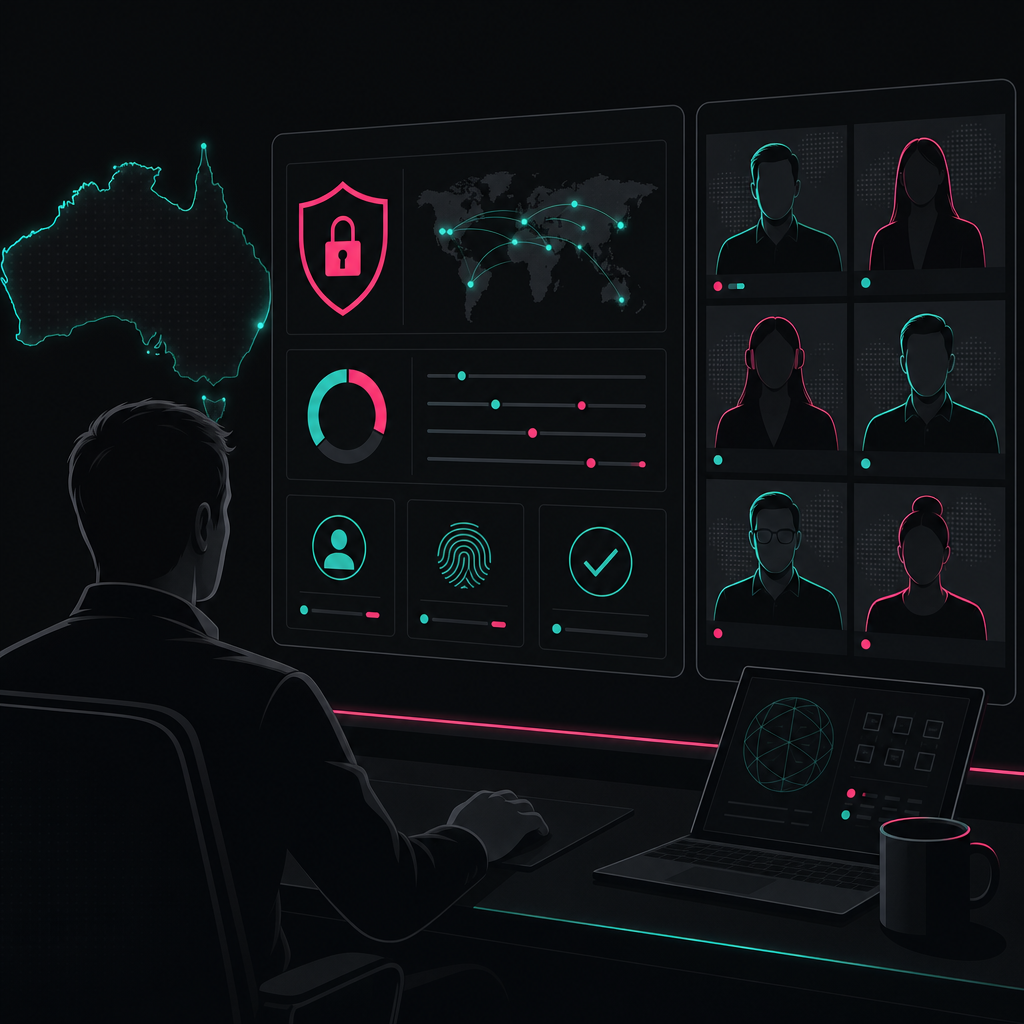
Australian businesses can secure offshore staff by combining least-privilege access, managed devices, multi-factor authentication, encryption, documented workflows, staff training and tested incident response procedures. The controls must cover the entire employment lifecycle and align with the Privacy Act, Australian Privacy Principles and Notifiable Data Breaches scheme.
Offshore work is not inherently insecure. Poorly controlled access is insecure, regardless of whether the person works in Manila, Melbourne or the office next door.
The real risk appears when a business adds people without defining what they can access, how work should move, who approves exceptions and how access will be removed. This guide explains how to build data security for remote teams in Australia around a practical delivery system.
Key takeaways
- Assess the data, systems and permissions attached to each offshore role before recruitment begins.
- Use managed devices, multi-factor authentication and identity-based access instead of shared passwords or unrestricted network access.
- Encrypt sensitive information in transit and at rest, while reducing unnecessary downloads and local storage.
- Train offshore employees using role-specific examples, then reinforce expectations through documented workflows and supervision.
- Test incident response, access reviews and offboarding instead of assuming written policies will work.
- Treat Australian privacy compliance as an operating requirement, not a clause buried in a supplier contract.
Remotee 2026 delivery snapshot: Remotee's own implementation data records 6-10 hours of reduced non-billable partner time per pay cycle across 15 recruitment agency implementations. In another implementation, discovery and transition were completed within 2 weeks. These are operational delivery results, not cybersecurity benchmarks, but they show why documented ownership and controlled handovers matter.
Summary table: essential offshore cybersecurity measures
| Control area | Minimum practical measure | Common failure | Evidence to retain |
|---|---|---|---|
| Risk assessment | Map systems, data and role permissions before onboarding | Giving access based on convenience | Approved access matrix and risk register |
| Identity | Unique accounts and multi-factor authentication | Shared credentials | Identity logs and access review records |
| Devices | Managed devices with updates and endpoint protection | Uncontrolled personal computers | Device inventory and compliance status |
| Network access | Application-specific access through approved channels | Broad network or VPN access | Connection logs and approved configurations |
| Data protection | Encryption and restricted local storage | Downloads to personal drives | Data handling rules and audit logs |
| Training | Role-based cyber hygiene and escalation exercises | Generic annual training | Completion and exercise records |
| Incident response | Defined reporting, containment and assessment process | Staff unsure whom to contact | Incident plan and test reports |
| Offboarding | Immediate account, token and device revocation | Access removed days later | Exit checklist and revocation logs |
| Privacy compliance | APP assessment and overseas disclosure controls | Relying only on contract wording | Privacy assessment and supplier records |
Start with the role, data and threat model
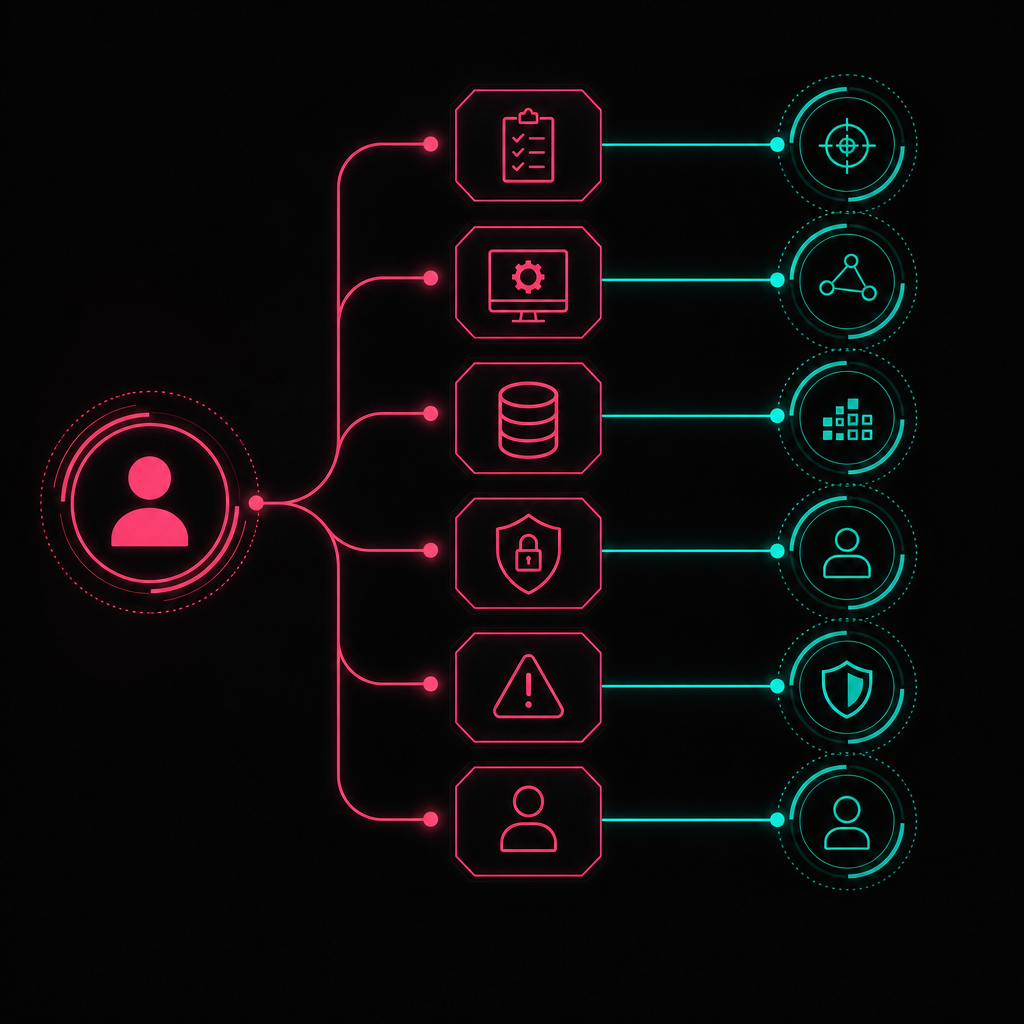
An effective offshore risk assessment identifies what the role must do, which information it requires, how compromise could occur and what damage could follow. Do this before granting access. A generic supplier questionnaire cannot replace a role-specific review of customer records, financial systems, source code, credentials and administrative privileges.
Start by documenting the business process, not the employee's job title. Two people called "virtual assistant" may present completely different risks. One may schedule meetings. Another may download customer records, update payment details and manage inbox rules.
For each task, record:
- The system being used.
- The information viewed, changed, exported or deleted.
- Whether the information includes personal or sensitive information.
- The minimum permission required.
- The person who approves access and exceptions.
- The logs or reports available for review.
- The response if credentials or devices are compromised.
Then classify the role by practical consequence. A role that can read marketing content has a different risk profile from one that can change bank details or export an employee database.
Do not confuse location with risk. The useful questions are whether the device is controlled, whether the identity is verified, whether access is limited and whether suspicious activity can be detected. Those questions apply equally to Australian and offshore personnel.
Evaluate the offshore provider as part of the system
Ask the provider how devices are issued, accounts are created, managers supervise work and incidents are escalated. Request evidence rather than accepting broad claims such as "enterprise-grade security".
Useful evidence includes:
- A current device and software management process.
- Named ownership for onboarding and offboarding.
- Procedures for lost devices and suspected account compromise.
- Access review records.
- Security training content and completion records.
- Business continuity and incident response procedures.
- Subcontractor and data-location disclosures.
A certification can support due diligence, but it does not prove that your specific workflow is secure. Your own configuration, permissions and approval process still determine much of the exposure.
Control identity, devices and network access

Secure remote work in Australia starts with verified identities, managed endpoints and narrowly scoped access. Every offshore worker should have an individual account, multi-factor authentication and only the permissions required for current duties. Access should be granted through approved applications or controlled gateways, with logging that supports investigation and regular review.
Eliminate shared accounts
Shared inboxes and application logins weaken accountability. When several people use one credential, you cannot reliably determine who accessed a record, changed a setting or exported information.
Create an individual identity for each worker. Where a team must manage a shared mailbox, use delegated access through named accounts rather than distributing its password.
Multi-factor authentication should protect email, cloud applications, password managers, administrative tools and remote access. Prefer phishing-resistant methods where the system supports them. SMS-based codes can be better than passwords alone, but they should not be the default when stronger options are available.
Use least privilege and separate administration
Least privilege means providing only the access necessary for approved work. It also means removing permissions when responsibilities change.
Keep ordinary work separate from administration. A worker who manages customer enquiries should not use an administrative account for email and web browsing. Privileged accounts should be limited, monitored and used only for the tasks requiring them.
The Australian Signals Directorate's Essential Eight includes restricting administrative privileges, multi-factor authentication, patching and application control among its core mitigation strategies (ASD Essential Eight). The maturity model is useful, but businesses should adapt implementation to their systems and threat exposure.
Manage the endpoint, not just the login
A secure password does not protect information downloaded to an unmanaged personal computer. Offshore team data protection should normally include:
- Organisation-controlled devices or a tightly governed virtual desktop.
- Supported operating systems and automatic security updates.
- Endpoint protection and device health monitoring.
- Screen-lock and storage-encryption requirements.
- Restricted use of removable storage.
- Remote lock or wipe capability where appropriate.
- Separation between business and personal profiles.
Virtual desktops and browser-based environments can reduce local storage, but they are not automatic solutions. Clipboard access, screenshots, printing, file transfer and session timeouts still require deliberate configuration.
Avoid unrestricted network access
A broad VPN can place a remote device inside the trusted network. That may expose more systems than the worker needs.
Prefer identity-aware, application-specific access where practical. If a VPN is required, segment access by role and destination. Log connections, restrict unmanaged devices and review dormant accounts. Geographic alerts can help detect unusual access, but location alone should not trigger an assumption of wrongdoing.
Encrypt data and control how it moves
Encryption should protect sensitive information while stored and while moving between workers, applications and Australian systems. It must be combined with access controls, retention rules and restrictions on local copies. Encryption cannot prevent an authorised account from exporting data, so businesses must also govern downloads, sharing links, email forwarding and removable media.
Use approved business platforms instead of personal email, consumer file-sharing accounts or messaging applications selected by individual workers. Define which system is authoritative for each record and where completed work must be stored.
Practical controls include:
- Transport encryption for web applications, email and remote connections.
- Device and database encryption where sensitive records are stored.
- Expiring links and recipient restrictions for shared files.
- Data loss prevention rules for high-risk information where justified.
- Restrictions on bulk exports and external forwarding.
- Retention schedules that remove information no longer required.
- Backups protected from ordinary user accounts and destructive changes.
Do not send complete datasets when a reduced dataset will do. A payroll processor may need employee payment details, but a scheduling assistant may only need names, shifts and contact information. Data minimisation reduces both privacy exposure and the value of a compromised account.
Passwords and recovery codes should be stored in an approved password manager, not spreadsheets, chat threads or browser notes. When access to a supplier account cannot be delegated, use controlled credential sharing with logging and rapid revocation.
Train people around real workflows
Cybersecurity training works when it reflects the systems, decisions and pressure points people encounter in their role. Offshore staff need clear rules for payment changes, suspicious messages, sensitive downloads, identity verification and incident reporting. A generic presentation delivered once cannot replace supervised practice, documented procedures and visible escalation paths.
Train people during onboarding and when their access changes. Use examples drawn from the actual role, such as:
- A manager requesting an urgent payment change through chat.
- A customer asking for records to be sent to a new email address.
- A multi-factor authentication prompt appearing unexpectedly.
- A file-sharing invitation that imitates a familiar supplier.
- A worker losing access to a device during a pay run.
- A spreadsheet containing more personal information than the task requires.
The employee should know when to stop, how to verify the request and who owns the decision. Security improves when reporting uncertainty is rewarded rather than treated as incompetence.
Managers also need training. They create risk when they bypass approval steps, share credentials to save time or request sensitive information through unapproved channels. Offshore workers should not carry responsibility for controls that Australian management repeatedly overrides.
Phishing simulations can reveal gaps, but they should be used to improve behaviour rather than embarrass staff. Measure whether people report suspicious activity promptly, follow verification procedures and understand why a request is risky.
Meet Australian privacy and overseas disclosure obligations
Australian businesses remain responsible for understanding how personal information is handled when offshore workers or providers access it. Depending on the arrangement, Australian Privacy Principle 8 may govern overseas disclosure, while APP 11 requires reasonable steps to protect personal information. Contract terms help, but they do not replace practical controls, due diligence or supervision.
The Privacy Act 1988 and the OAIC's Australian Privacy Principles guidelines should be considered when offshore staff handle personal information.
The legal analysis depends on the arrangement. The OAIC distinguishes between an overseas recipient merely using information on behalf of an Australian entity and a disclosure where the recipient handles the information beyond the entity's effective control. Businesses should obtain legal advice for their circumstances rather than assuming every offshore access model is identical.
A practical privacy assessment should document:
- The personal information involved.
- Why the offshore role needs it.
- The countries and organisations that may access or store it.
- Whether subcontractors are involved.
- Contractual privacy and security obligations.
- Technical restrictions and monitoring.
- Retention and deletion arrangements.
- Complaint, breach and regulatory notification responsibilities.
Privacy notices and customer commitments must also match actual practice. If a business says information remains in Australia but offshore personnel can access and download it, the statement needs review.
Notifiable data breaches
Under the Notifiable Data Breaches scheme, covered entities must assess suspected eligible data breaches and notify affected individuals and the OAIC when the statutory test is met. The OAIC provides guidance on the Notifiable Data Breaches scheme.
Your incident process should identify who will coordinate legal assessment, preserve evidence, communicate with the offshore provider and approve notifications. Do not wait for an incident to decide which organisation is responsible for each action.
Regulated sectors may face additional requirements. Financial services, health, government contracting and critical infrastructure can involve sector-specific obligations beyond general privacy law.
Audit the full worker lifecycle
Regular audits should test whether offshore security controls operate as designed across recruitment, onboarding, daily work, role changes and departure. Reviewing a policy document is not enough. Businesses need evidence that accounts are unique, devices remain compliant, permissions match current duties, exceptions are approved and former workers can no longer access systems.
Before onboarding
Complete the role risk assessment, approve the device model and build an access matrix. Name the Australian process owner and offshore supervisor. Prepare accounts in advance so managers do not share credentials when work begins.
During onboarding
Verify identity through the agreed process. Issue the device, enrol it in management tools and require multi-factor authentication. Train the worker using the actual systems and obtain acknowledgement of data-handling obligations.
During employment
Review access after role changes and at a frequency justified by risk. Investigate dormant accounts, unusual exports, repeated failed logins and unauthorised applications. Validate that updates and endpoint controls remain active.
Audit the workflow as well as the technology. If approvals regularly happen in private messages instead of the designated system, the documented control is not operating.
During offboarding
Coordinate access revocation with the worker's final duties. Disable accounts, revoke sessions and tokens, rotate any credentials the person knew and recover or wipe managed devices. Confirm that business data has not been retained in personal accounts.
Offboarding should also cover supplier portals, shared links, password manager collections, API keys, email forwarding rules and physical access. Closing the main email account alone is rarely sufficient.
Prepare an incident response process that works offshore

An offshore incident response plan must provide a fast reporting path across time zones, clear authority to contain access and a documented process for assessing privacy consequences. Workers should know how to report suspicious events without relying on the compromised system. Australian decision-makers must know who can disable accounts, preserve logs and contact affected parties.
Define what must be reported. Examples include a lost device, unexpected authentication prompt, mistaken recipient, suspicious browser extension, unauthorised download, credential disclosure or request to bypass approval controls.
The plan should assign responsibility for:
- Receiving and recording the report.
- Disabling accounts or isolating devices.
- Preserving logs, messages and other evidence.
- Determining which information and systems were affected.
- Coordinating with the offshore provider.
- Assessing legal, contractual and notification obligations.
- Restoring services safely.
- Recording corrective actions and control changes.
Provide an alternative reporting channel such as a telephone number or separate platform. If email is compromised, telling staff to report the incident by email is not useful.
Run scenario exercises involving both Australian and offshore participants. A tabletop exercise should test authority and communication, not just technical containment. Ask whether the Australian contact answers after hours, whether the provider can isolate the device and whether logs are retained long enough to investigate.
Lessons from two Australian cyber incidents
Major Australian data breaches show why third-party access and identity controls deserve executive attention. They do not prove that offshore staffing causes breaches. They show that stolen credentials, supplier relationships and excessive data exposure can create serious consequences. The correct response is stronger governance and technical control, not a blanket ban on remote or offshore work.
Medibank: privileged access and layered controls
Medibank's published cyber incident information describes criminal access to customer data and the company's response (Medibank cyber incident). The lesson for offshore teams is not merely to add another login challenge. Privileged access should be limited, separately monitored and supported by controls that reduce what a compromised identity can reach or export.
Businesses should ask whether one account can move from an ordinary service function into sensitive databases. They should also test whether unusual queries, bulk access or large exports create an alert that someone will investigate.
Latitude: third-party credentials remain your risk
Latitude's public incident information describes a cyberattack involving employee login credentials obtained from third-party service providers (Latitude cyber incident). The practical lesson is that supplier access forms part of your attack surface even when the supplier operates independently.
Australian businesses should inventory external identities, restrict each provider to necessary systems and remove access when assignments end. Contracts should require prompt incident reporting, but technical controls should assume a credential can still be stolen.
The missing control is usually delivery structure
The strongest offshore cybersecurity model is not a longer policy. It is a delivery system that connects permissions, workflows, approvals and accountability. Most businesses focus on whether a candidate can perform the task. I focus on whether the task can be performed predictably without uncontrolled access, undocumented decisions or dependence on one person's memory.
Remotee's position is simple: the difference between a capacity gap and a capacity crisis is usually a delivery structure problem, not a talent problem. The same principle applies to security. Adding capable staff without adding structure creates avoidable exposure.
Consider payroll. It contains personal, banking, tax, leave and employment information. Many owners assume payroll must remain in-house because it is sensitive. I disagree. Payroll is often safer when specialist delivery replaces overloaded internal administration, provided the operating model includes controlled access, approval checkpoints and defined ownership.
In one recruitment agency engagement from our own operating experience, the founders wanted to leave payroll and accounting work so they could focus on business development and operations. We completed discovery and implementation within 2 weeks. The resulting workflow reduced the client's involvement to approving one email each fortnight, while the delivery team handled payroll, super, tax, compliance, timesheets and inbound queries.
In another hospitality recruitment and labour-hire engagement, payroll work was split across internal staff and external accountants. We installed a defined system, moved processing from weekly to fortnightly and centralised responsibility with a specialist team. The outcome included lower operating and payroll costs and improved award compliance.
These examples are not claims that outsourcing automatically prevents cyber incidents. They show how fewer hand-offs, clear approvals and documented ownership reduce ambiguity around sensitive work. Security improves when every access decision supports a named process.
Your payroll should not depend on one busy admin person remembering everything. Neither should offshore cybersecurity. Predictable delivery, not just headcount, is the standard Australian businesses should demand.
We have not included a customer testimonial because no verified cybersecurity testimonial was supplied for this article. Publishing invented praise would contradict the trust controls this guide recommends. The operational examples above are based on Remotee's supplied delivery experience and are presented with their limits made clear.
To build offshore capacity around documented workflows, compliance and clear ownership, contact Remotee. Secure offshore operations begin with designing the delivery system before access is granted.
References
- Australian Government, Privacy Act 1988.
- Office of the Australian Information Commissioner, Australian Privacy Principles guidelines.
- Office of the Australian Information Commissioner, Notifiable Data Breaches scheme.
- Australian Signals Directorate, Essential Eight.
- Medibank, Cyber incident information.
- Latitude Financial, Cyber incident information.
FAQ_SCHEMA_JSON
FREQUENTLY ASKED QUESTIONS
Common questions
Is it safe to hire offshore staff for an Australian business?
- Yes, provided the business applies controls based on the role and data involved. Use individual accounts, managed devices, multi-factor authentication, least-privilege permissions, documented workflows, supervision and prompt offboarding.
Does the Australian Privacy Act apply when offshore staff access data?
- It can. Australian organisations covered by the Privacy Act must consider the Australian Privacy Principles when personal information is accessed or handled overseas. APP 8 and APP 11 may be particularly relevant to the arrangement.
Should offshore employees use personal computers?
- Managed devices are generally preferable because personal devices can limit control over updates, storage, installed software and other users. Where personal devices are unavoidable, use a controlled virtual environment and strict access requirements.
Is a VPN enough to secure an offshore team?
- No. A VPN encrypts a connection but does not prevent stolen credentials, excessive permissions or unauthorised downloads. It should be combined with multi-factor authentication, managed endpoints, segmentation, logging and access reviews.
What should an offshore cybersecurity policy include?
- The policy should cover approved devices, identity controls, passwords, data storage, information sharing, remote access, incident reporting, monitoring, privacy obligations, offboarding and the process for approving exceptions.
How quickly should offshore access be removed after a worker leaves?
- Access should be revoked in coordination with the worker's final duties and without avoidable delay. Disable identities, sessions, tokens, shared links, password manager access and supplier accounts, then recover or wipe managed devices.

Jon Kelly
Founder, Remotee
Jon helps Australian businesses build compliance-led offshore teams that scale without the burnout. NDIS, accounting, mortgage broking, recruitment and digital marketing.
KEEP READING
Related posts
offshore staffing solutions
Custom Offshore Staffing Solutions for Australian SMEs
Australian business owners are hitting a wall. The local talent market is severely constrained. According to the Australian Bureau of Statistics, a significant…
4 July 2026 · 15 min read
transparent provider pricing comparison
Offshore Staffing Pricing Transparency: How to Compare Provider Quotes Without Getting Caught Out
Transparent provider pricing comparison means evaluating offshore staffing quotes against total cost of engagement, not headline hourly rate. A genuine quote it…
13 September 2026 · 17 min read
managed staffing versus freelancer platforms
Managed Offshore Staffing vs Freelancer Platforms: Which Model Actually Delivers for Australian Businesses?
Managed offshore staffing suits ongoing, business-critical work because it wraps talent in documented workflows, compliance and a replacement guarantee. Freelan…
12 September 2026 · 15 min read
READY TO SCALE WITHOUT THE BURNOUT?
Build a compliance-led offshore team in 3–4 weeks.
Tell us about your current bottleneck and we'll show you what a Remotee placement would look like for your operation.
Or get our playbooks emailed to you instead.